Pages

Thursday, March 10, 2016

Bringing Google Cardboard and VR to the world

Posted by Brandon Wuest, Software Engineer & Stereoscopic Sightseer

Google Cardboard is bringing virtual reality worldwide. Starting today, the Google Cardboard app is available in 39 languages and over 100 countries on both Android and iOS devices. Additionally, the Cardboard developer docs are now published in 10 languages to help developers build great VR experiences. With more than 15 million installs of Cardboard apps from Google Play, were excited to bring VR to even more people around the world.

More Works with Google Cardboard viewers

Anyone can make their own Cardboard viewer with the open designs ready for download. If youd rather not DIY, choose from the growing family of certified viewers, including the Mattel View-Master and Zeiss VR One GX, on sale now.

Better tools for building

The Cardboard SDKs for Android and Unity have been updated to address your top two requests: drift correction and Unity performance. This update includes a major overhaul of the sensor fusion algorithms that integrate the signals from the gyroscope and accelerometer. These improvements substantially decrease drift, especially on phones with lower-quality sensors. The Cardboard SDK for Unity now supports a fully Unity-native distortion pass. This improves performance by avoiding all major plugin overhead, and enables Cardboard apps to work with Metal rendering on iOS and multi-threaded rendering on Android. All of this adds up to better VR experiences for your users.

More places

Finally, to help bring you to more places, you can now explore Google Street View in Cardboard. So, download the updated Google Street View app for Android or iOS, and grab your Cardboard to immerse yourself in destinations around the world.

With Cardboard available in more places, were hoping to bring the world just a little bit closer to everyone. Happy exploring!

Read More..

Wednesday, March 9, 2016

HTC Sense 7 0 Internet Browser


HTC has just started rolling out the new HTC Internet app update. Newest version is tagged as 7.1.2514183160 and it brings some Material Design touches. This HTC Internet browser is a part of the HTC Sense 7.0 interface. Lets take a look at some of the HTC Internet app features, but keep in mind that most of them were already available in the older version of the browser. The new HTC Internet is mostly about new design.

View mode

Within few clicks you can choose if you want to browse the Internet with the status bar on the top of the browser, or in the "fullscreen" mode with the status bar hidden. The status bar wont show up until you swipe down from the top of the screen. However, it will not appear and stay like in the regular mode, but it will cover up the URL bar (immersive mode).


Quick Controls

With Quick Controls the URL and 3 dots bar are gone. Anything you want to do (go back or forward, enter Settings, bookmark page etc.) you need to slide with your thumb from the left or right edge of the screen to open quick controls. Pretty hard to learn at start because its very easy to slide over wrong option, but Im sure its possible to master it after short time of use.


Bookmarks

Well known place, where you can manage bookmarked pages. You can choose the view mode between "Thumbnails" (first screen) and "List" (third screen). By editing bookmarks you can also change the order on the list, change the bookmarks labels and addresses or add particular bookmark to the created custom folder.


Tabs and Incognito Mode

HTC Internet app allows you to work with multiple tabs - either regular ones or "Incognito Tab" The incognito mode drastically increases your privacy level because the site you view in that mode wont appear in the browser or search history, and it wont leave other traces (like cookies) on your device. You can have maximum up to 16 tabs open at the same time.


Menu

The 3 dots menu offers some typical features like "Go back" and "Go forward" arrows or "Add to" button, which you can use to create new bookmark, add certain site to the home screen or Reading List. With the "Share" option you can share current site via different social channels, Dropbox, bluetooth, mail and more.


With the "Saved" option you can view a list of sites you decided to read later (Reading List) or videos you decided to watch later (Watch List). To add a site to the Reading List click on the 3 dots menu ---> + (plus) icon ---> Reading list.

"History" and "Find on page" options dont need to be explained.


The "Downloads" takes you to the HTC Downloads app, where you can see all downloaded files, not only via the HTC Internet app. You can also choose to view certain pages in the "Desktop View" mode. The last position on the 3 dots menu is Settings.


Settings

Here you can adjust various privacy and security settings (such as cache, history, cookies, passwords and more), as well as accessibility options (text size, scaling and zoom), advanced settings (search engine, JavaScript, pop-ups), bandwidth management and Labs, where you can enable Quick controls.


Conclusion

The new, re-designed HTC Internet app matches the new HTC Sense 7.0 UI style as well as it looks a bit more "materialized" now. Can it compete with the Google Chrome browser? No, but I dont think it is suppose to. It is just a solid, stock browser with a common features browsers on the market have. It looks good and works as it should.

The HTC Internet app is available in the Google Play.

Do you have any questions or comments? Feel free to share! Also, if you like this article, please use media sharing buttons (Twitter, G+, Facebook) below this post!


For latest news follow Android Revolution HD on popular social platforms:

Read More..

Tuesday, March 8, 2016

HTC One X with Android 4 2 2 HTC Sense 5 0 update

HTC One X is one of the very few (if not the only one) devices from HTC which reached 4.xx.xxx.x software version (4.18.491.2). This only proves how great this device still is and how many users are still actively using it. Today HTC One X users are receiving one of the most important update - Android 4.2.2 with HTC Sense 5.0. Last summer HTC did similar update, upgrading HTC One X with Android 4.1.1 from Android 4.0.4 and bumping HTC Sense from 4.0 to so called "4+". However, HTC Sense 4.0/4+ update wasnt that significant and didnt bring so many new features and improvements as HTC Sense 5.0.


The new update includes well known HTC BlinkFeed™ (available firstly only on HTC One), native Android Quick Settings and completely re-designed HTC Sense interface. Two features are missing from HTC One - HTC BoomSound™ and HTC Zoe™. Unfortunately, both are hardware related. BoomSound™ obviously needs dual speakers audio system, and HTC Zoe™ was created to work with small pictures taken with UltraPixel camera - which allows user to take excellent pictures in natural conditions using only 4 mega pixels resolution in pair with dedicated HTC ImageChip™ 2.


As you can see, there is a changelog attached to the OTA notification, however it is just a "commercial" changelog - that means there are a lot of different changes/improvements under the hood. Android 4.2.2 update brought a lot of changes itself, not to mention new HTC Sense 5.0 features, further optimization in SoC drivers and kernel related improvements.


The new update for HTC One X looks great and surely will bring some fresh air to the device. HTC One X+ already received HTC Sense 5.0 update few days ago, however it was only Taiwanese update so far. Below you can see HTC BlinkFeed screen together with Android Quick Settings on latest HTC One X 4.18.401.2 software.


Have any questions or comments? Feel free to share! Also, if you like this article, please use media sharing buttons (Twitter, G+, Facebook) down this post!
Read More..

Friday, March 4, 2016

Start planning for Google I O!

Posted by Mike Pegg, reppin I/O since 2011

Today we launched the official schedule for Google I/O 2015 at google.com/io. At this year’s event, happening May 28-29 in San Francisco, we’ll host more than 200 talks centered around some important topics which matter to you: Design & Develop, to help you build beautiful, powerful apps; Earn & Engage, where we’ll cover tools to grow your user base and create sustainable, successful businesses; and What’s Next, a peek into Google’s emerging platforms. With just over three weeks until Google I/O, start planning your schedule today!

Start building your schedule

Whether you’re attending in person or virtually, you can get started building your schedule. Don’t worry about converting the start and end times to your local time zone, we’ve taken care of that for you. Simply sign in to the I/O website to add talks directly to “My Schedule.” If you’re using Chrome (on Android or desktop), you can enable notifications for events added to your schedule so that you can be sure to catch them. That way, you won’t miss exciting sessions like Astro Teller’s “Helping Moonshots Survive Contact with the Real World” or an update from the ATAP team on some cool new projects they’re working on. All sessions will be livestreamed, so whether you’re watching from one of the 400 I/O Extended Locations around the world or the comfort of your own desk, we’ve got you covered.

Attending in person

In addition to the traditional breakout sessions, which are livestreamed, if you’re attending in person, you’ll also get a chance to go to more than 100 sandbox talks. These intimate, 20-minute talks are often more technical, and the smaller size means that you’ll get a chance to interact directly with the Googlers teaching them. Together, you can roll up your sleeves and tackle topics ranging from “Memory Performance & Tooling” to “Whats new in the Google Play Developer Console.” Most sandbox talks will happen twice throughout the two-day event, so you’ll have more chances to participate.

This year, there are over 100 sandbox talks: intimate, 20-minute technical talks where you can roll up your sleeves and interact directly with Googlers.

Don’t forget to save time in your schedule for a code lab or two. Back by popular demand, these self-paced workshops will showcase a variety of technologies from Google on mobile, wearables, and Cloud to name a few. We’ll provide the workstations and tablets for use on-site - just bring yourself any time during the two days of I/O! If you have your own device, Googlers will be on hand to help you get set up so you can jump into it.

See you soon

We’re getting really excited about Google I/O 2015 and today’s schedule is just a preview of what’s to come. We’ll be adding more sessions, sandbox talks, and events to the schedule as we get closer to I/O. But, we can’t give everything away beforehand. Be sure to check the agenda again after the keynote on Day 1, for those top secret talks. We look forward to connecting with you in-person, at I/O Extended or via I/O Live in a few weeks!

Read More..

CHAOS RINGS apk Data


Description

-------------------------------------------------------------
?The size of the game may result in long download times.
?A WiFi connection is recommended for downloading.
?This game requires approximately 1GB of memory. Please ensure that you have the necessary storage available before downloading.
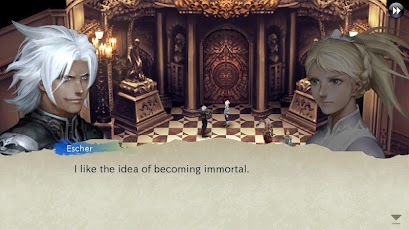
-------------------------------------------------------------CHAOS RINGS takes full advantage of the Android’s capabilities. Using a classic game system that any RPG fan will enjoy, it presents an epic tale consisting of four different scenarios, all brought to you with gorgeous sound and unbelievably smooth 3D graphics.
The story revolves around a tournament where combatants fight for their lives: the Ark Arena. Upon choosing a pair of characters, one male and one female, you will then have to fight against the other pairs. Each pair has their own story, and the truth behind the Ark Arena will not be revealed until each story is completed.

Game Features:
-High-quality voice acting that brings game characters to life
-Amazingly smooth 3D graphics
-Gorgeous sound that takes full advantage of the Android’s powerful hardware
-A deep story with unique twists for every pair and multiple endings
-Highly polished game and battle systems with a traditional feel
-Hours upon hours of gameplay, complete with hidden bosses, secret weapons, and more


DOWNLOAD


DATA OBB
Read More..

Thursday, March 3, 2016

Chrome OS is here to stay


(Cross-posted on the Google Chrome Blog.)

Over the last few days, there’s been some confusion about the future of Chrome OS and Chromebooks based on speculation that Chrome OS will be folded into Android. While we’ve been working on ways to bring together the best of both operating systems, theres no plan to phase out Chrome OS.

With the launch of Chrome OS six years ago, we set out to make computers better—faster, simpler and more secure—for everyone. We’ve since seen that vision come to life in classrooms, offices and homes around the world. In fact, every school day, 30,000 new Chromebooks are activated in U.S. classrooms—that’s more than all other education devices combined. And more than 2 million teachers and students in more than 150 countries have the Share to Classroom Chrome extension, which launched in September and gets students onto the same webpage, instantly. Meanwhile, companies such as Netflix, Sanmina, Starbucks and of course Google, are using Chromebooks given the ease of deployment, the ability to easily integrate with existing technologies, and a security model that protects users at all levels, from hardware to user data. (Chromebooks are so secure you don’t need antivirus software!) IT administrators can manage tens of thousands of Chromebooks through a single web console, making them ideal for both classrooms and the workplace.

For everyday use, we’re proud that Chromebooks are continually listed as a best-selling laptop computer on Amazon.com. In an effort to make computing even more accessible, earlier this year we introduced the first $149 Chromebook—a fast, affordable laptop. And in the next couple weeks the Asus Chromebit will be available—an $85 device that turns any display into a computer so you can replace your old desktop with an affordable computer the size of a candy bar, or let businesses transform a billboard into a smart digital sign.

This year weve also worked to redefine the different forms Chrome OS can take, introduced the first designated Chromebook for Work, and brought more of your favorite Android apps to your Chromebook via Apps Runtime on Chrome (a.k.a. ARC). But there’s more to do. We have plans to release even more features for Chrome OS, such as a new media player, a visual refresh based on Material Design, improved performance, and of course, a continued focus on security. With our regular six-week software cycle and guaranteed auto-updates for five years, Chromebooks keep getting better over time. Finally, stay on the lookout for dozens of new Chromebooks in 2016.
Read More..

Wednesday, March 2, 2016

SUNPHOS

SUNPHOS  is a professional android application for photographers who needs to plan a day around the constantly changing character of sunlight. It provides you with valuable information like day length,sun rise & sun set, golden hour, twilight and more.


SUNPHOS Features:

  1. Search Sun Track.
  2. View Mode.
  3. Search Sun Position.
  4. Daily Report on sun info.

Read More..