Pages

Wednesday, October 5, 2016

Pokémon Shuffle Mobile Mega MOD Android Game Moded


Salam Blogger :)
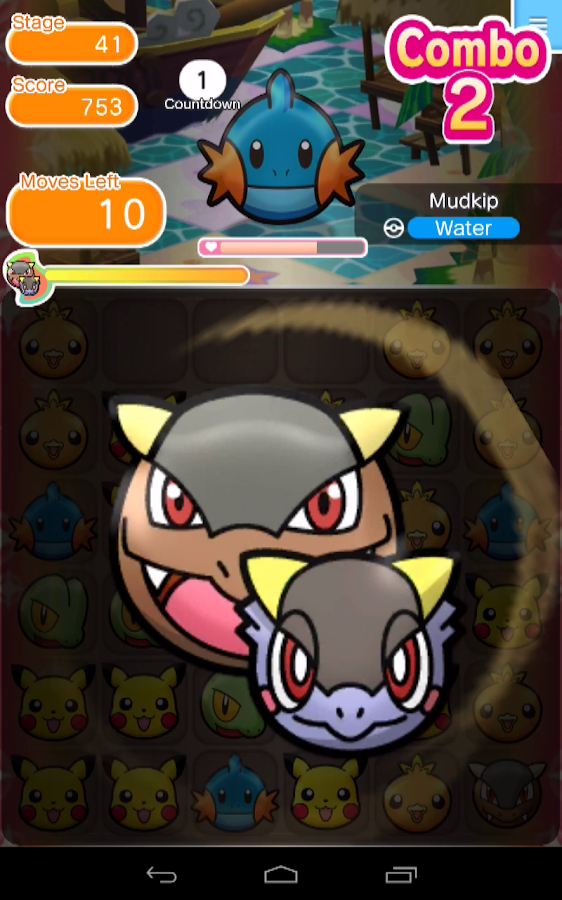
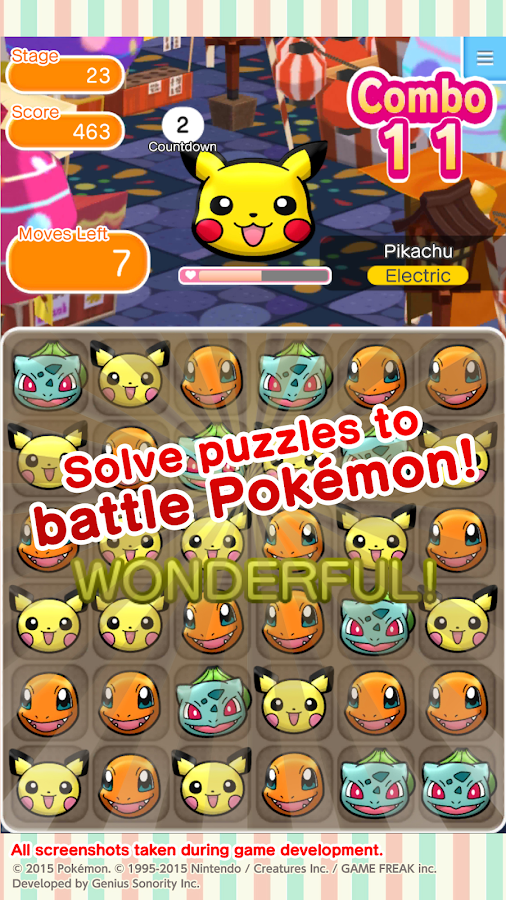
Hey semua ini ane balik lagi, dan akan share mod. kali ini ane share game pokemon versi shuffle mobile. oke cek it gan...

Details Game: 
Name       : Pokémon Shuffle Mobile
Genre       : Game Puzzle, Action
Version    : 1.3.0
Platform  : Android 
Requires  : Android 4.0  and up

Modification on Game: 
1. Increased Damage
2. Earn 1k Coins (End of the Stage)
3. Unlocked All Mega Stones
4. All Pokés Max Level

Review Modif:

Screenshoot:


Tutorial Instal : 
1. Download game. 
2. Pindahkan Game ke Androidmu.
3. Uniinstal Version originalnya, jika ada.
4. Instal MOD apk & Play
5. Enjoyyy 

|DOWNLOAD|
Pokémon Shuffle Mobile - Massive Damage/Infinite Coins[Android Game : Moded]

|Download Original game|
On Playstore

#Salam Blogger
#Semoga bermanfaat :)
#Ask? comment :)
Read More..

Tuesday, October 4, 2016

New Rooting Tools 1 0 for the HTC One M8 3 28 401 9


Here it is! Newest Rooting Tools 1.0 for the HTC One M8 3.28.401.9 system software just arrived. Dont want to flash any custom ROM but looking for a root access on your HTC One M8? No problem - its what Rooting Tools are for! Whats included?

  • [boot.img] disabled ro.adb.secure and ro.secure
  • [boot.img] disabled USB debugging icon on statusbar
  • [boot.img] enabled USB debugging by default
  • [boot.img] init.d scripts support (system/etc/init.d)
  • [boot.img] removed trigger command to execute install_recovery.sh to prevent stock recovery from being re-installed after each system reboot
  • latest SuperSu application (Superuser.apk) and binaries (su, daemonsu) (chainifre)
  • proper init.d script to run daemonsu binary as a daemon
  • special wp_mod.ko kernel module to disable HTC system RW protection (flar2)
  • proper init.d script to insert the wp_mod.ko module into the kernel
  • busybox
  • sysrw/sysro binaries for quick system partition re-mount
Device rooted with the above method should have no problems installing latest official OTA update because:

a) OTA update checks for files integrity, but it doesnt check if any extra files were added to the system partition.
b) OTA update doesnt check the integrity of the boot.img, so you can flash a custom kernel if you want.

boot.img source: 3.28.401.9
target device: HTC One M8 (0P6B10000)
target device OS version: 3.28.401.9

Download:
Rooting Tools are available for download here. More details and discussion about Rooting Tools can be found on my XDA thread.

If you are a power user and a custom ROMs flasher, you can also grab the latest Android Revolution HD based on the 3.28.401.9 update with many extra goodies under the hood.

All above files can be accessed via Downloads Page on my blog.

Do you have any questions or comments? Feel free to share! Also, if you like this article, please use media sharing buttons (Twitter, G+, Facebook) below this post!


For latest news follow Android Revolution HD on popular social platforms:

Read More..

Monday, October 3, 2016

Free Download Ultimate Dinosaur Simulator v1 0 5 Apk Full Version 2016

Free Download Ultimate Dinosaur Simulator 1.0.5 Apk Full Version 2016 | GudangmuDroid - Discover a long lost prehistoric Dinosaur Simulator Apk world and rule over it as an all mighty Dinosaur Simulator Apk ! Travel back to a time when monstrous carnivores roamed the Earth and exotic plant life filled dangerous jungles! For the first time ever, choose from Dinosaur Simulator Apk TEN PLAYABLE DINOSAURS! Hunt down food, raise a family of dinos, and battle for your life against fierce bosses like the Spinosaurus! Download too: Free Download Table Tennis Touch v2.1.0123.1 Apk + Data Full Version 2016


Free Download Ultimate Dinosaur Simulator v1.0.5 Apk Full Version 2016

Brand New Features:

REALISTIC SIMULATOR
You’ll need to maintain your health, hunger, thirst, and energy while ruling over your Dinosaur Simulator Apk dinosaur’s ancient territory!

TEN PLAYABLE DINOSAURS
For the first time ever, you can choose Dinosaur Simulator Apk from multiple animals in a single game! Become any of ten famous dinosaurs and mammals like the Tyrannosaurus Rex, Velociraptor, Sabertooth Tiger, or even choose a flying dinosaur like the Pterodactyl or a swimming dinosaur like Mosasaurus! Each species has their own families, experience, and levels!

DEADLY BOSS BATTLES
Test your skills against SIX thrilling boss battles! in Dinosaur Simulator Apk a massive spined creature lurks in the murky water of the swamp! Engage in battle with the legendary Plesiosaur to claim dominance over it’s waters!

BUILD YOUR PACK
Dominate other dinosaurs and recruit them to your pack! Customize and play as any Dinosaur in your pack and create a powerful Dinosaur Simulator Apk family of predators!

HATCH DINO EGGS
Breed baby dinos that will grow into powerful members of your pack! Dinosaur Simulator Apk Care for you eggs while they are hatching and then play as your new baby dinosaur!

CUSTOMIZE YOUR DINOSAURS
Choose your dino’s name Dinosaur Simulator Apk, appearance, skills, and attributes to complement your pack members and become a more powerful group!

LEVEL UP YOUR DINOSAURS
Gain experience Dinosaur Simulator Apk by defeating dangerous enemies, caring for your family, and completing missions! Level up your dinosaurs to increase their health and attack damage, earn points to upgrade your dinosaur’s stats, and increase the size of your pack!

EARN STAT POINTS
Stat Points can be used to provide Dinosaur Simulator Apk bonus’s to traits like Health, Critical Attack Chance, Run Speed, and much more!

UPGRADEABLE BUFFS
Buff Points can be used to upgrade Dinosaur Simulator Apk Roar and Snarl Buffs, which create temporary Stat Boosting auras around your dinosaur when active!

RAGDOLL PHYSICS
Your prey now realistically dangles from your Dinosaur Simulator Apk claws as you carry them!

DYNAMIC WEATHER AND DAY/NIGHT CYCLE
Procedural weather system with unique storms, clouds, sunrise, sunset and the return of the cataclysmic Extinction Meteor Shower!

MASSIVE REALISTIC 3D ENVIRONMENT
Rule over Dinosaur Simulator Apk a world so big we created FIVE unique lairs for your Dinosaur Simulator Apk to live in! Explore snow covered mountains, dense jungles, murky swamplands, beaches, and even hunt underwater!

PREHISTORIC ENEMIES
Hunt down Dinosaur Simulator Apk jurassic animals like the T. Rex, Raptor, Brachiosaurus, Pterodactyl, Triceratops, Stegosaurus, Ankylosaurus, Dilophosaurus, Allosaurus, Sabertooth Tiger, Mastodon, Plesiosaur, Spinosaurus, Mosasaurus, Gastornis, Parasaurolophus, Compsagnathus, and more!

OPTIONAL BLOOD EFFECTS
If you are of age or have your parents permission, turn on the Dinosaur Simulator Apk BRAND NEW blood effects for added combat ferocity! Download too: Free Download WWE 2K v1.18117 Apk Full Version 2016

What’s New in Dinosaur Simulator Apk:
  • NEW: Water Options – Simple or HQ
  • FIX: UI displaying correctly (no longer all black)
  • FIX: Game Settings not saving
  • FIX: Den icons appearing correctly
  • FIX: No more falling beneath world
  • FIX: Dilophosaurus now spits at enemies correctly
  • IMPROVEMENT: Performance on LOW quality mode significantly increased
Screenshots:


Requirements: 2.3 and up

More information as well as screenshots via Google Play

Download Link:

File Size: 68 MB

Free Download Ultimate Dinosaur Simulator 1.0.5 Apk Full Version 2016 | Usercloud
(APK Only)

Password RAR if Need: www.gudangmudroid.blogspot.com

Tags: ultimate dinosaur simulator apk,ultimate dinosaur simulator apk download,ultimate dinosaur simulator apk free,ultimate dinosaur simulator apk full

Read More..

Sunday, October 2, 2016

EV Explorer helps drivers compare electric vehicles and costs using Google Maps APIs


Editors note: Today’s guest blogger is Daniel Scrivano, former lead developer for the UC Davis EV Explorer. See how EV Explorer and other developers rely on Google Maps APIs to bring unique location experiences to their users.

Most people know they can help the environment by driving an electric vehicle, but they often don’t realize they can save money, too. As a student at UC Davis, I started a research project to make these savings clearer. The EV Explorer website, launched last summer, lets drivers compare fuel costs for electric and gas-powered vehicles.

EV Explorer uses the Google Maps APIs and a database called fueleconomy.gov to give drivers information about the fuel economy of 34,000 different vehicles. EV Explorer visitors enter their commuting starting points and destinations, along with how often they commute. Based on that data, the site calculates the annual energy costs for up to four vehicles.


We built EV Explorer using several of Google’s mapping APIs: JavaScript, Directions, Places and Geocoding. EV Explorer downloads the appropriate map and helps people visualize the data they’re inputting. If people don’t know their work address, they can type in the name of their business and Places API geolocates it. The Geocoding API converts any address into latitude and longitude. We query the Directions API when we’ve got the specific points for home and work. The app then draws the route using polylines between the two locations.

We chose Google Maps APIs because Google’s mapping database consistently ranks among the most comprehensive, up to date, and user-friendly. With Google Maps, a user can type in “Safeway” and “San Francisco” to see all the Safeway locations in the city and choose among them. If they mistype something or include incomplete information, auto-correcting tools offer suggestions and corrections.

In building the site, I kept one thing in mind: You won’t make it until you break it. That means you need to experiment, try new things, get your hands dirty, and make random stuff. You’ve got to push the APIs to their limits. And by doing just that, we delivered what we set out to do: Help people understand the wider benefits of electric vehicles and show them how much they could save by switching to electric.
Read More..

Thursday, September 29, 2016

t-famil"

htc,desire,600,dual,sim,device,review
Read More..

Wednesday, September 28, 2016

Add Marker to Google Map Google Maps Android API v2


To add marker to Google Map of Google Maps Android API v2:
 LatLng targetLatLng = new LatLng(lat, lon);
MarkerOptions markerOptions =
new MarkerOptions().position(targetLatLng).title(strTitle);
mMap.addMarker(markerOptions);

Modify from last example "Set map type for Google Maps Activity using Google Maps Android API v2" to add feature to add markers on Google Maps Activity.


Edit values/strings.xml to add string resource of "menu_addmarkers"
<resources>
<string name="app_name">AndroidStudioMapApp</string>
<string name="title_activity_maps">Map</string>
<string name="menu_legalnotices">Legal Notices</string>
<string name="menu_about">About</string>
<string name="menu_addmarkers">Add Markers</string>
</resources>


Edit menu/activity_main.xml, to add menu option of Add Markers:
<?xml version="1.0" encoding="utf-8"?>
<menu
>
<item
android_id="@+id/menu_about"
android_orderInCategory="100"
app_showAsAction="ifRoom"
android_title="@string/menu_about"/>
<item
android_id="@+id/menu_addmarkers"
android_orderInCategory="100"
app_showAsAction="ifRoom"
android_title="@string/menu_addmarkers"/>
<item
android_id="@+id/maptype"
android_orderInCategory="100"
app_showAsAction="never"
android_title="Map Type...">
<menu >
<group android_id="@+id/groupmaptype"
android_checkableBehavior="single">
<item android_id="@+id/maptypeNORMAL"
android_title="NORMAL" />
<item android_id="@+id/maptypeSATELLITE"
android_title="SATELLITE" />
<item android_id="@+id/maptypeTERRAIN"
android_title="TERRAIN" />
<item android_id="@+id/maptypeHYBRID"
android_title="HYBRID" />
<item android_id="@+id/maptypeNONE"
android_title="NONE" />

</group>
</menu>

</item>
<item
android_id="@+id/menu_legalnotices"
android_orderInCategory="100"
app_showAsAction="never"
android_title="@string/menu_legalnotices"/>


</menu>

Modify MapsActivity.java
package com.blogspot.android_er.androidstudiomapapp;

import android.app.AlertDialog;
import android.content.DialogInterface;
import android.content.Intent;
import android.net.Uri;
import android.os.Bundle;
import android.support.v7.app.AppCompatActivity;
import android.text.InputType;
import android.view.Menu;
import android.view.MenuItem;
import android.widget.EditText;
import android.widget.LinearLayout;
import android.widget.Toast;

import com.google.android.gms.common.GoogleApiAvailability;
import com.google.android.gms.maps.CameraUpdateFactory;
import com.google.android.gms.maps.GoogleMap;
import com.google.android.gms.maps.OnMapReadyCallback;
import com.google.android.gms.maps.SupportMapFragment;
import com.google.android.gms.maps.model.LatLng;
import com.google.android.gms.maps.model.MarkerOptions;

public class MapsActivity extends AppCompatActivity implements OnMapReadyCallback {

private GoogleMap mMap;

@Override
protected void onCreate(Bundle savedInstanceState) {
super.onCreate(savedInstanceState);
setContentView(R.layout.activity_maps);
// Obtain the SupportMapFragment and get notified when the map is ready to be used.
SupportMapFragment mapFragment = (SupportMapFragment) getSupportFragmentManager()
.findFragmentById(R.id.map);
mapFragment.getMapAsync(this);

}

/**
* Manipulates the map once available.
* This callback is triggered when the map is ready to be used.
* This is where we can add markers or lines, add listeners or move the camera. In this case,
* we just add a marker near Sydney, Australia.
* If Google Play services is not installed on the device, the user will be prompted to install
* it inside the SupportMapFragment. This method will only be triggered once the user has
* installed Google Play services and returned to the app.
*/
@Override
public void onMapReady(GoogleMap googleMap) {
mMap = googleMap;
}

@Override
public boolean onCreateOptionsMenu(Menu menu) {
getMenuInflater().inflate(R.menu.activity_main, menu);
return super.onCreateOptionsMenu(menu);
}

@Override
public boolean onOptionsItemSelected(MenuItem item) {
switch (item.getItemId()) {
case R.id.menu_addmarkers:
addMarker();
return true;
case R.id.maptypeHYBRID:
if(mMap != null){
mMap.setMapType(GoogleMap.MAP_TYPE_HYBRID);
return true;
}
case R.id.maptypeNONE:
if(mMap != null){
mMap.setMapType(GoogleMap.MAP_TYPE_NONE);
return true;
}
case R.id.maptypeNORMAL:
if(mMap != null){
mMap.setMapType(GoogleMap.MAP_TYPE_NORMAL);
return true;
}
case R.id.maptypeSATELLITE:
if(mMap != null){
mMap.setMapType(GoogleMap.MAP_TYPE_SATELLITE);
return true;
}
case R.id.maptypeTERRAIN:
if(mMap != null){
mMap.setMapType(GoogleMap.MAP_TYPE_TERRAIN);
return true;
}
case R.id.menu_legalnotices:
String LicenseInfo = GoogleApiAvailability
.getInstance()
.getOpenSourceSoftwareLicenseInfo(MapsActivity.this);
AlertDialog.Builder LicenseDialog =
new AlertDialog.Builder(MapsActivity.this);
LicenseDialog.setTitle("Legal Notices");
LicenseDialog.setMessage(LicenseInfo);
LicenseDialog.show();
return true;
case R.id.menu_about:
AlertDialog.Builder aboutDialogBuilder =
new AlertDialog.Builder(MapsActivity.this);
aboutDialogBuilder.setTitle("About Me")
.setMessage("http://android-er.blogspot.com");

aboutDialogBuilder.setPositiveButton("visit",
new DialogInterface.OnClickListener() {
@Override
public void onClick(DialogInterface dialog, int which) {
String url = "http://android-er.blogspot.com";
Intent i = new Intent(Intent.ACTION_VIEW);
i.setData(Uri.parse(url));
startActivity(i);
}
});

aboutDialogBuilder.setNegativeButton("Dismiss",
new DialogInterface.OnClickListener() {
@Override
public void onClick(DialogInterface dialog, int which) {
dialog.cancel();
}
});

AlertDialog aboutDialog = aboutDialogBuilder.create();
aboutDialog.show();

return true;
}
return super.onOptionsItemSelected(item);
}

private void addMarker(){
if(mMap != null){

//create custom LinearLayout programmatically
LinearLayout layout = new LinearLayout(MapsActivity.this);
layout.setLayoutParams(new LinearLayout.LayoutParams(
LinearLayout.LayoutParams.MATCH_PARENT,
LinearLayout.LayoutParams.WRAP_CONTENT));
layout.setOrientation(LinearLayout.VERTICAL);

final EditText titleField = new EditText(MapsActivity.this);
titleField.setHint("Title");

final EditText latField = new EditText(MapsActivity.this);
latField.setHint("Latitude");
latField.setInputType(InputType.TYPE_CLASS_NUMBER
| InputType.TYPE_NUMBER_FLAG_DECIMAL
| InputType.TYPE_NUMBER_FLAG_SIGNED);

final EditText lonField = new EditText(MapsActivity.this);
lonField.setHint("Longitude");
lonField.setInputType(InputType.TYPE_CLASS_NUMBER
| InputType.TYPE_NUMBER_FLAG_DECIMAL
| InputType.TYPE_NUMBER_FLAG_SIGNED);

layout.addView(titleField);
layout.addView(latField);
layout.addView(lonField);

AlertDialog.Builder builder = new AlertDialog.Builder(this);
builder.setTitle("Add Marker");
builder.setView(layout);
AlertDialog alertDialog = builder.create();

builder.setPositiveButton("OK", new DialogInterface.OnClickListener() {
@Override
public void onClick(DialogInterface dialog, int which) {
boolean parsable = true;
Double lat = null, lon = null;

String strLat = latField.getText().toString();
String strLon = lonField.getText().toString();
String strTitle = titleField.getText().toString();

try{
lat = Double.parseDouble(strLat);
}catch (NumberFormatException ex){
parsable = false;
Toast.makeText(MapsActivity.this,
"Latitude does not contain a parsable double",
Toast.LENGTH_LONG).show();
}

try{
lon = Double.parseDouble(strLon);
}catch (NumberFormatException ex){
parsable = false;
Toast.makeText(MapsActivity.this,
"Longitude does not contain a parsable double",
Toast.LENGTH_LONG).show();
}

if(parsable){
LatLng targetLatLng = new LatLng(lat, lon);
MarkerOptions markerOptions =
new MarkerOptions().position(targetLatLng).title(strTitle);
mMap.addMarker(markerOptions);
mMap.moveCamera(CameraUpdateFactory.newLatLng(targetLatLng));
}
}
});
builder.setNegativeButton("Cancel", null);

builder.show();
}else{
Toast.makeText(MapsActivity.this, "Map not ready", Toast.LENGTH_LONG).show();
}
}
}


download filesDownload the files (Android Studio Format) .

Next:
- initialize map in xml


~ Step-by-step of Android Google Maps Activity using Google Maps Android API v2, on Android Studio

Read More..

Haydenshapes helps surfers catch the perfect wave with Google Apps


Editors note: Today’s guest blogger is Hayden Cox, founder and owner of Haydenshapes Surfboards and creator of FutureFlex technology. The Haydenshapes team uses Google Apps for Work to stay in touch and get more done across oceans and time zones.

When I was 15 years old, I snapped my favourite board while surfing on Sydney’s northern beaches. I didn’t have the money to replace it, so I built one instead. I spent my next school vacation volunteering at a local factory, where I learned the basics of shaping and making surfboards. That’s how I first developed a passion for creating and design. After school and on weekends, I’d shape boards for friends and teachers, who eventually became repeat customers and recommended me to their friends. It occurred to me that I should formalise what I was doing, so I created a logo and started branding my boards. I also taught myself how to code my first website. That’s how Haydenshapes Surfboards got started.

Fast-forward 18 years, and Haydenshapes has come a long way. We have our own signature surfboard technology, FutureFlex, which I patented and designed. We sell surfboards in 70 countries around the world, from India and Israel to Sri Lanka and Sweden — even in places that I didn’t realise had surf. Our Hypto Krypto model is the best-selling surfboard worldwide and was named “Surfboard of the Year” at the 2014 and 2015 Australian Surf Industry Awards.

As we’ve grown, I’ve learned some fundamental realities of running a business. Mistakes are inevitable, so it’s crucial to keep your finger on the pulse 24/7. Also, it’s important to keep things simple so you can work smarter rather than harder. Google Apps for Work helps us do that. It provides the full framework we need to run our business and connect our teams and manufacturing centers in Sydney, Los Angeles and Thailand. It’s reliable, secure and easy to use — and it just works.

I’m constantly on the go, whether I’m racing off of a plane, jumping out from the surf, in the shaping bay, or between meetings. Being able to tap into our Google Apps system from my device means I’m always aware of what’s going on. I can share design files with Drive to our CNC machines, draft budgets with Google Sheets, and use Hangouts for meetings and video calls with my team and family.

Haydenshapes is known for being innovative and progressive. Our products and our process — how we do things from start to finish — reflect this. In my opinion, your success hinges on how you spend your time. The last thing we want to do is worry about servers failing or files getting backed up properly. Working with a seamless system like Google Apps means that I can focus on what really drives the business: designing and creating the best surfboards.
Read More..